

Subscribe to My Newsletter for Weebly Tutorials, Tips, and News!
The Best Weebly Themes (2026): 8 Premium Picks I Actually Use
Quick answer
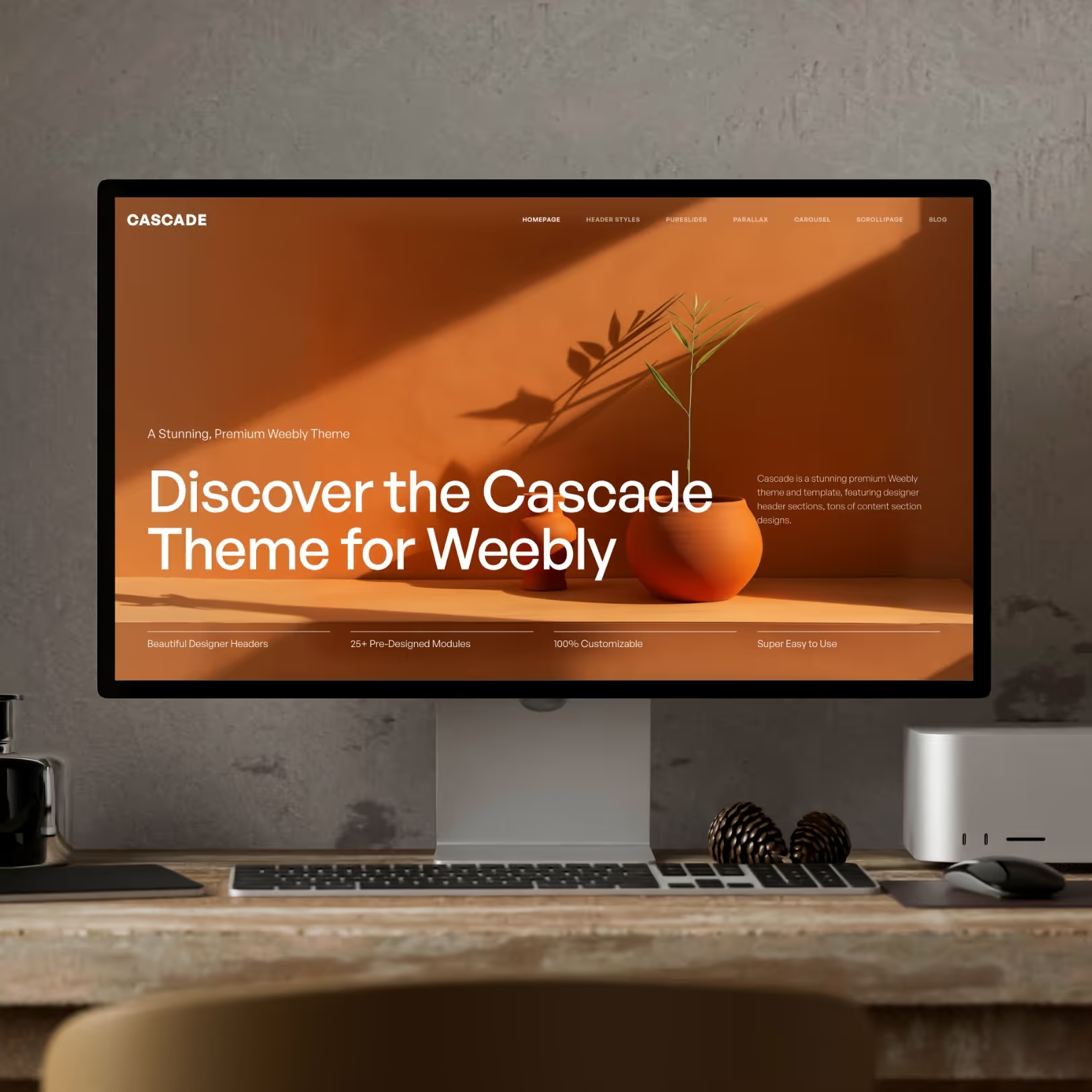
The best Weebly theme overall is Cascade by Luminous Themes, because it pairs a clean, flexible design with 25+ drag-and-drop prebuilt blocks, header sliders, parallax, and carousels, and it works with Weebly eCommerce, blogs, and memberships. Pick Mocha if you want a dark design, Pristine for a luxury look, Builder for service businesses, and Equinox if you want your latest blog posts on your homepage.
The short answer
The best Weebly theme right now is Cascade. It’s the most flexible theme I’ve used on Weebly, it comes with 25+ prebuilt designer blocks, and it’s the one I start most of my client builds with.
Here’s the thing, though. The “best” theme depends on what you’re building. A coffee shop, a construction company, and a wellness coach all need different vibes. So below you’ll find my full list of the premium Weebly themes I recommend in 2026, who each one is for, and what makes it stand out.
Quick background if you’re new here: the default Weebly themes are… not great. They look dated, they give you very few layout options, and they make it hard to build anything that looks custom. Thankfully, Weebly lets you install premium third-party themes over your existing site, and the good ones completely change how your website looks and feels. That’s one of Weebly’s biggest advantages over builders like Squarespace and Wix, where you’re stuck with their templates.
I’ve used every theme on this list myself, on my own projects and on client sites. Let’s go.
Best Weebly themes at a glance
| Theme | Best for | Standout feature |
|---|---|---|
| Cascade | Almost any business (best overall) | 25+ prebuilt designer blocks |
| Oxygen | Clean, minimalist business sites | 15+ page layouts and a dual-level navigation bar |
| Mocha | Cafes, restaurants, portfolios, anyone who wants dark mode | Dark design you can switch to your own colors in one click |
| Pristine | Hotels, resorts, studios, high-end services | Luxurious modular design with a free-floating navigation bar |
| Equinox | Small businesses and entrepreneurs | Dynamic blog snippets for your homepage |
| Builder | Construction, renovation, and service businesses | 50+ prebuilt components and strong calls-to-action |
| Pacific | Wellness, coaching, retreats | Calm design with a show/hide navigation button |
| Apollo | Bold, playful brands and web designers | Two navigation styles and a Developer’s Edition |
1. Cascade: the best Weebly theme overall
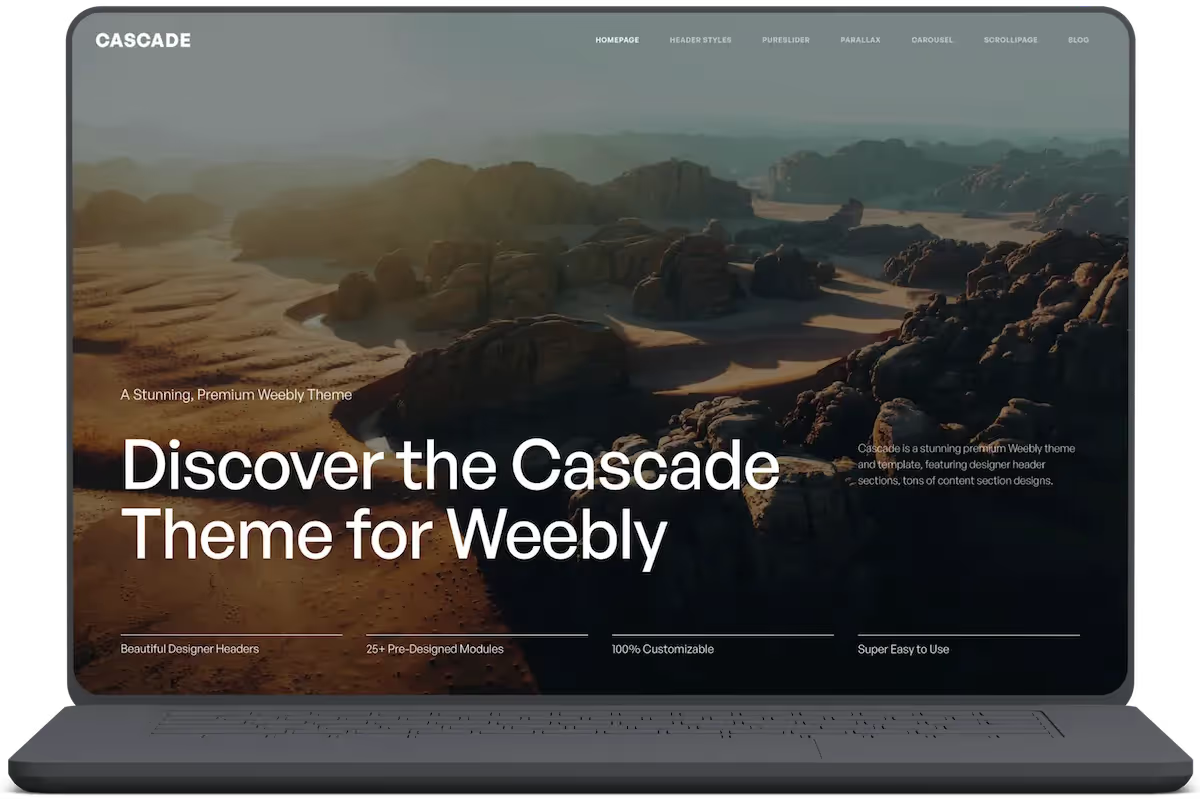
Out of everything on this list, Cascade is my absolute favorite. For most of my Weebly website builds, it’s where I start.
The big reason is flexibility. Traditionally, you’d buy a theme for your niche: a construction theme if you’re a contractor, a consulting theme if you’re a consulting firm. Cascade doesn’t really work that way. Its clean, image-focused design adapts to your content, so you can build a great site for pretty much any kind of business. It’s one of the best multi-use themes I’ve seen on any platform.
What I love about Cascade
- 25+ prebuilt blocks. You drag a professionally designed section onto your page, swap in your own text and images, and you’re done. No design skills required.
- Designer headers. It comes with several header designs, and they look fantastic.
- Header sliders, 3D parallax, carousels, and one-page scrolling, all drag and drop.
- Easy rebranding. In-editor styling controls let you swap Cascade’s colors for your own in a few clicks.
- It keeps getting updated. Cascade is on version 3 now (3.0.1 when I checked), and it supports Weebly eCommerce, blogs, and memberships.
If you only take one thing from this article, it’s this: if you’re not sure which theme to get, get Cascade.
2. Oxygen: the clean, minimalist all-rounder
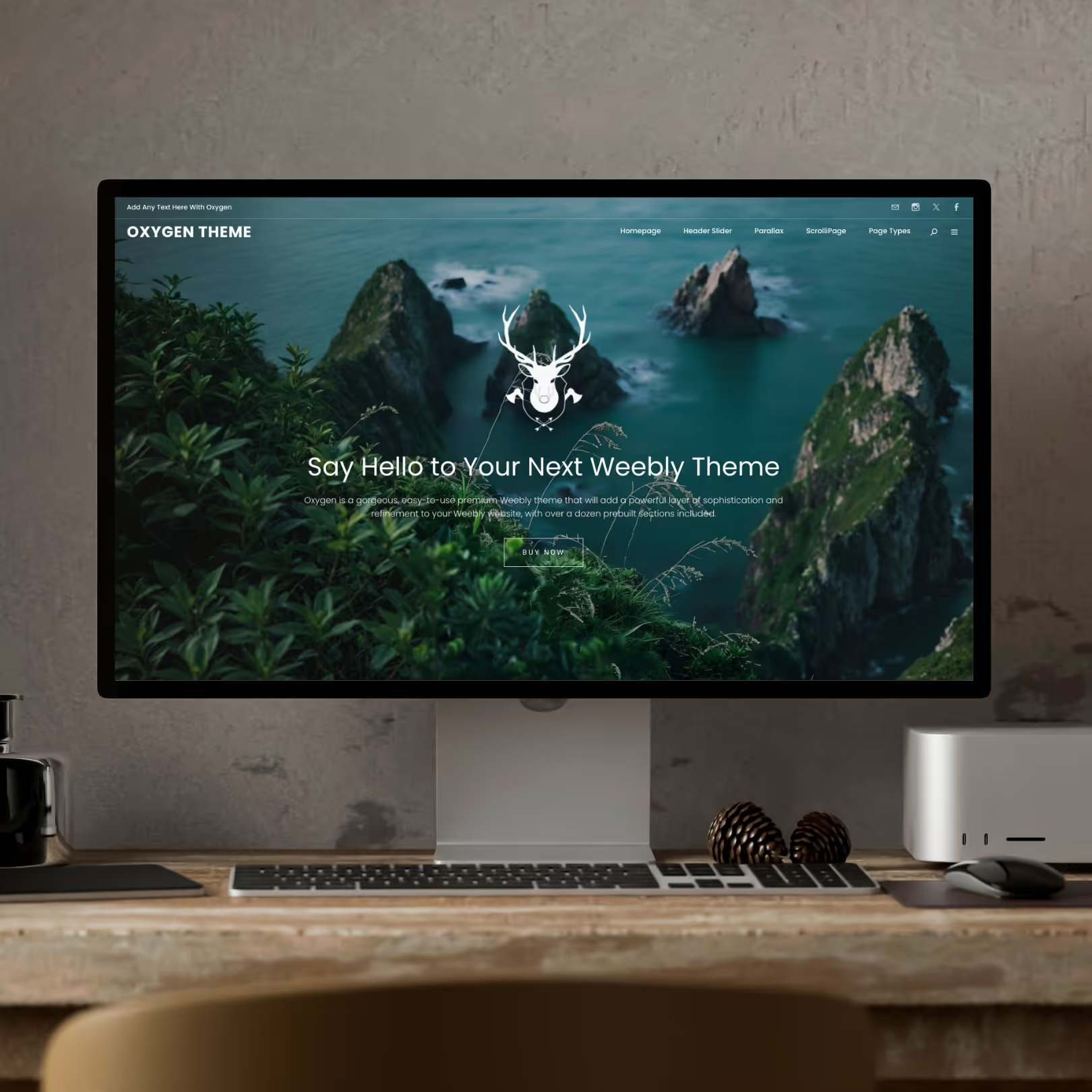
Oxygen was my #1 pick for years, and it’s still one of the best themes you can put on a Weebly site. It’s sleek, minimalist, and it makes your site feel polished without a lot of effort.
What makes Oxygen great:
- 15+ page layouts and templates. Unlike a lot of themes, Oxygen comes with pre-designed template pages, so you’re not starting from a blank page.
- PureSlider header sliders that you can drop in anywhere for a cinematic homepage.
- ScrolliPage, which adds vertical one-page navigation to long pages. No code.
- A signature dual-level navigation bar with room for a top announcement line and social icons.
- TrueParallax sections that work on desktop and mobile.
It’s a multi-purpose design, but I find it works especially well for consulting and general business websites. If Cascade feels like a bit more than you need, Oxygen is a fantastic, simpler pick.
3. Mocha: the best dark Weebly theme
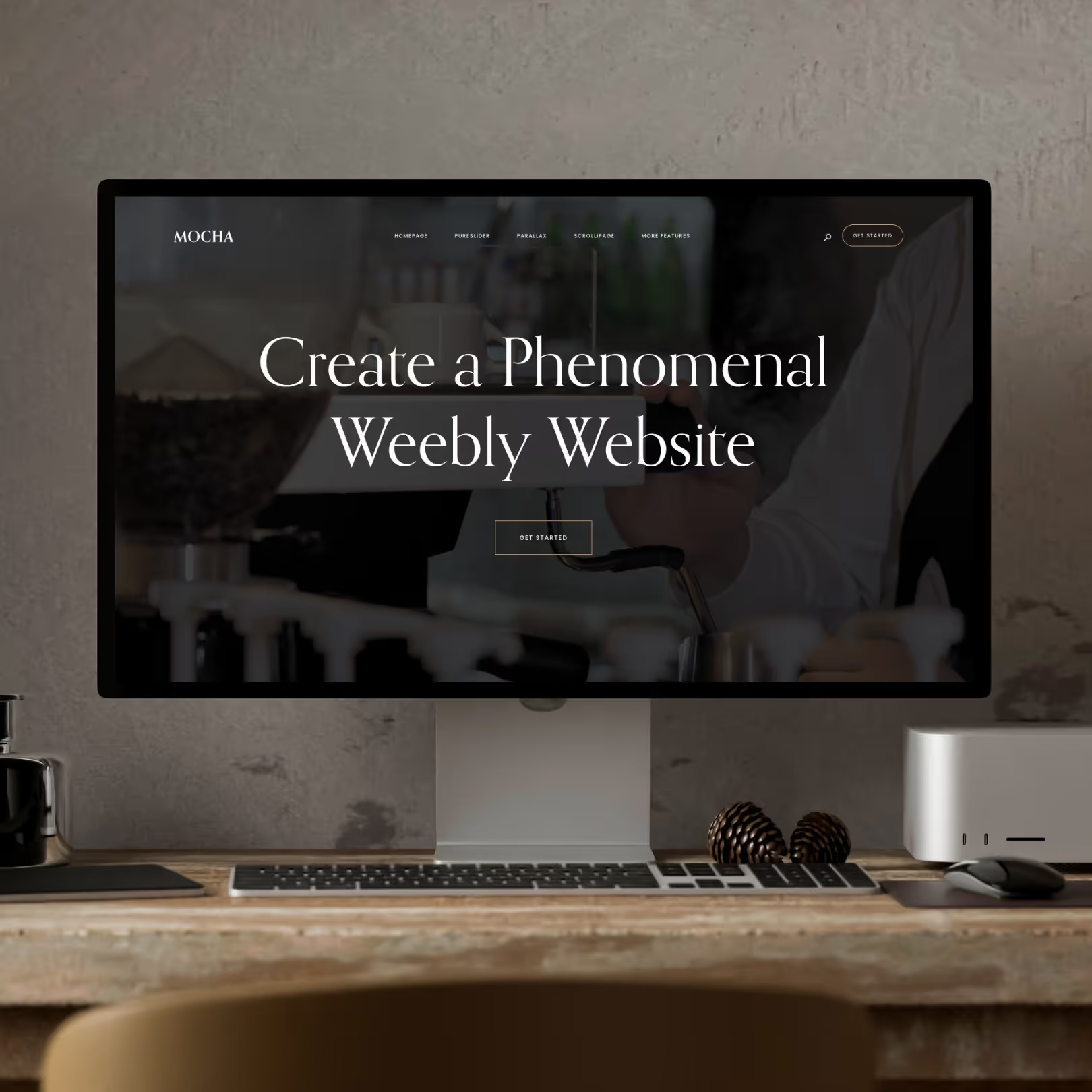
Looking for a dark Weebly theme? Mocha is my favorite one on the market, and there aren’t many dark Weebly themes out there to begin with.
It’s got a crisp, luxurious look with a lovely blurred navigation bar and animations sprinkled throughout. I especially love the parallax in the 50/50 split sections. I’ve used it on client sites, and it was so easy to work with that I barely needed the video tutorials.
Mocha is packed with features:
- Swipe-friendly content carousels that work on desktop and mobile.
- Fullscreen video backgrounds for your headers.
- 12+ prebuilt blocks you can drag and drop to assemble pages fast.
- One-click body color. Love the design but not the dark background? You can switch it to your own brand color with one click in the Weebly editor.
It’s a natural fit for cafes and restaurants, but it works just as well for portfolios and high-end services.
4. Pristine: luxurious and elegant
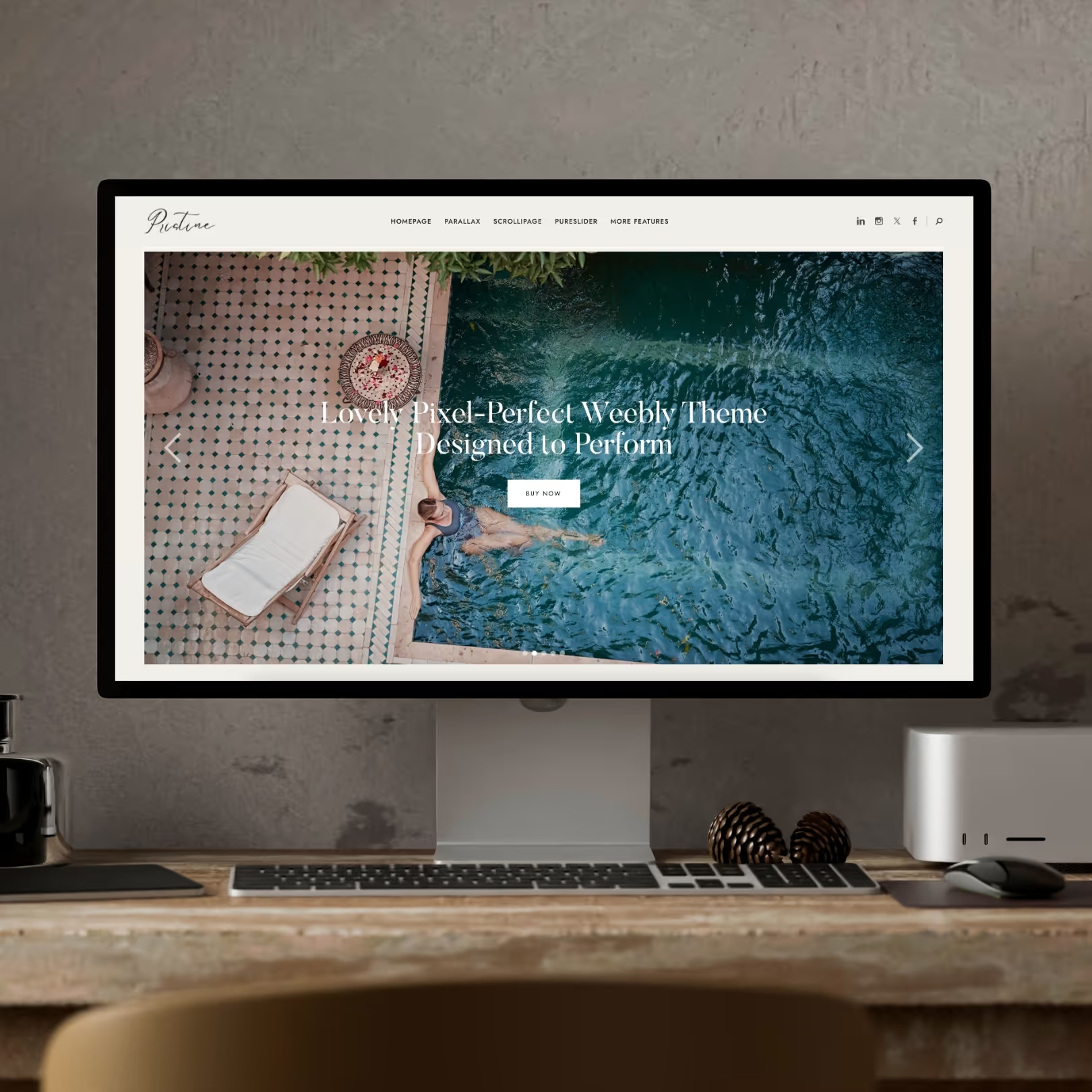
Pristine is a stunner. If Cascade is the versatile workhorse, Pristine is the precision-crafted luxury watch.
It has a high-end, timeless design with elegant typography, a free-floating navigation bar, and smooth scroll animations. I genuinely love the font pairing. You can customize it, of course, but… why would you?
Pristine is modular: it comes with over a dozen animated designer sections that you can mix, match, and reorder with its Page Builder, plus PureSlider header sliders, parallax, and ScrolliPage.
I built a site for a client who runs a ski resort in Canada with Pristine, and it was ideal. In general, it shines for:
- Hotels and resorts
- Consulting and service-based businesses
- Art, photography, and studios
- Clothing brands
5. Equinox: playful but professional
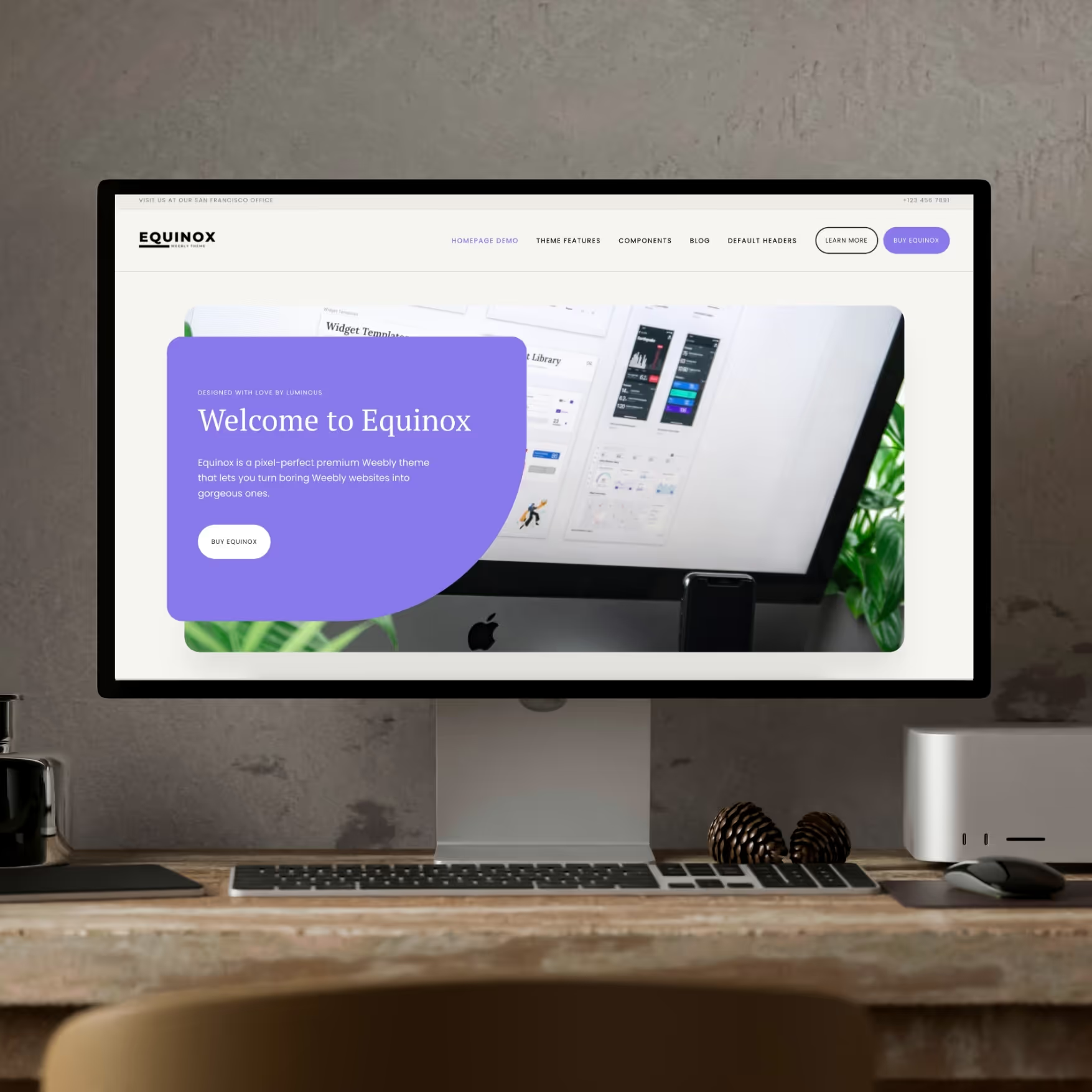
Equinox is a fun, bubbly theme, but in a corporate way. Does that make sense? It’s bright and friendly while still looking like a serious business.
It ships with 20+ prebuilt components you can drag onto your pages, plus header sliders, carousels, and parallax.
The feature I love most is Dynamic Blog. It lets you showcase your latest blog posts right on your homepage. That’s not something Weebly does out of the box, so if you blog regularly, this is a big deal.
Equinox is a great choice for entrepreneurs, small businesses, and creatives who want something lighter and more approachable than Mocha or Pristine.
6. Builder: best for construction and service businesses
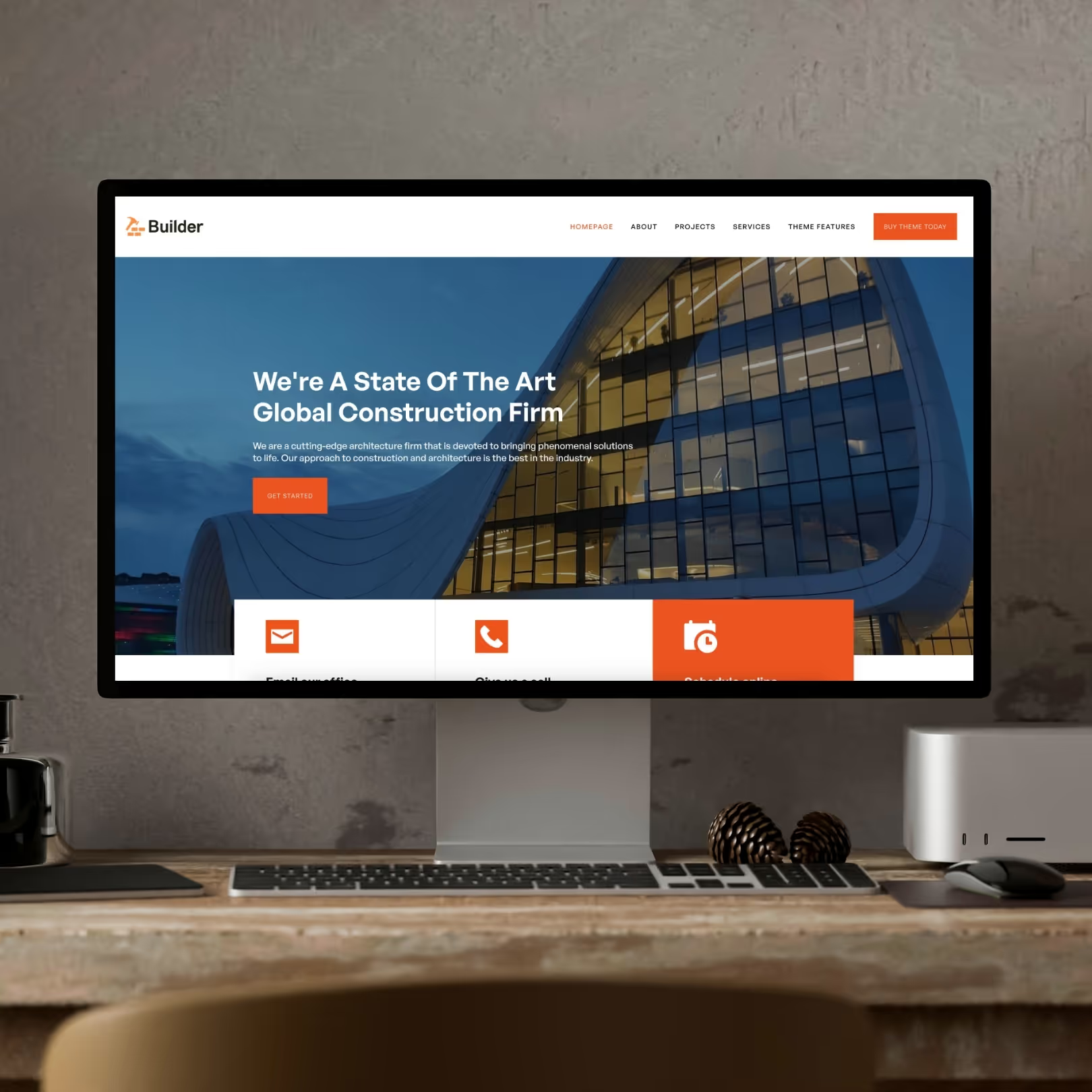
Builder is the heavy-duty theme for service businesses. It was designed by Farlink Agency and is aimed at interior design, renovation, and construction companies, though it’s multi-purpose enough to adapt to other industries.
What sets it apart:
- 50+ prebuilt components, the most of any theme on this list.
- Bold calls-to-action. The whole design pushes visitors toward getting in touch, which is exactly what a service business wants.
- Projects and services pages. The demo includes ready-made Projects and Services page designs. If you’re a renovation firm, that’s the perfect place to show off your case studies and completed work.
If you need to show off your work and convey reliability, Builder is the one.
7. Pacific: calm and nature-inspired
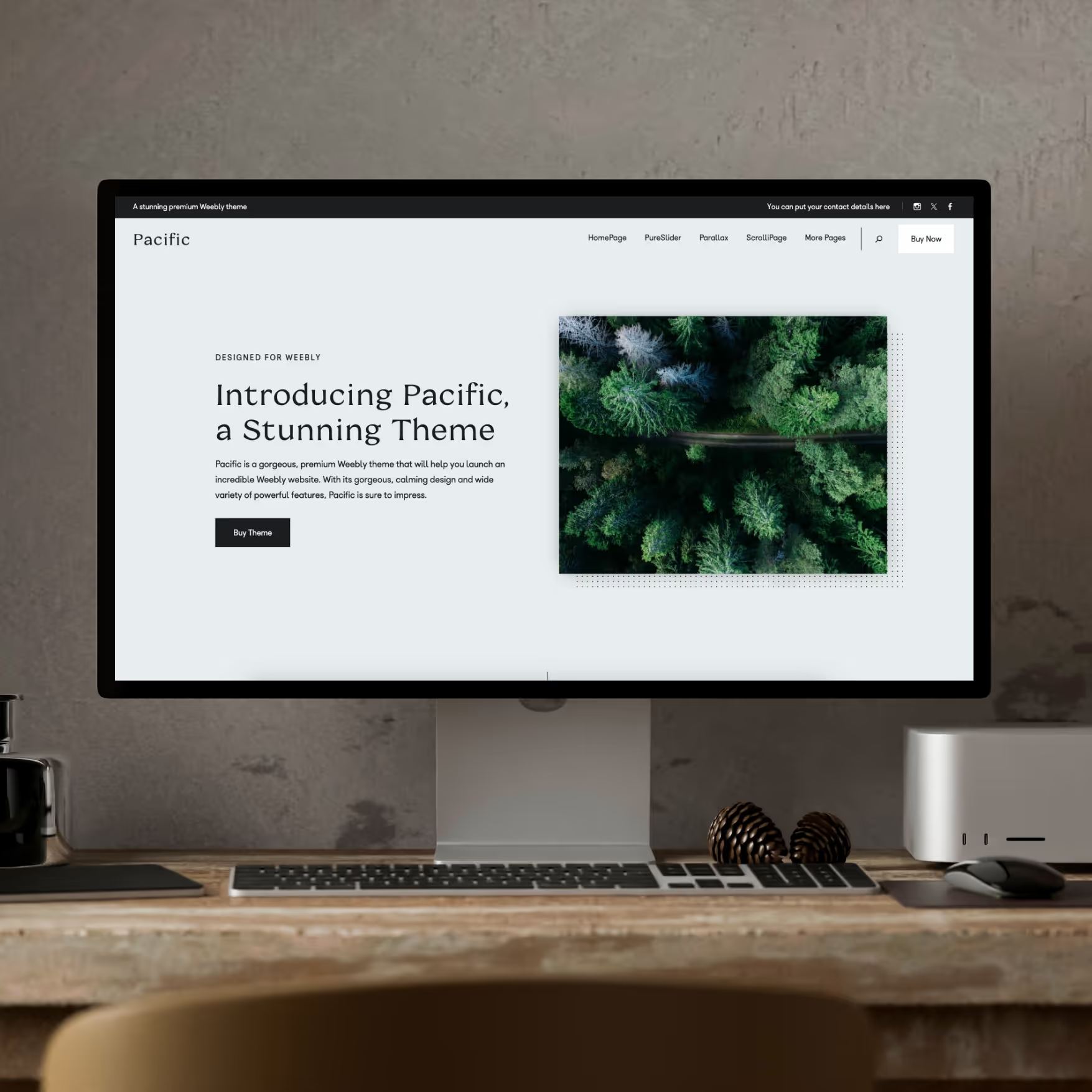
Just looking at this theme relaxes me. Pacific has a calm, clean design with a soothing palette, and it’s perfect for wellness brands, coaches, retreats, and clinics.
A couple of things I really like:
- Dual-level navigation. There’s a slim top bar for your contact details and social icons, with your main navigation below it.
- A navigation button you can show or hide with a click. Putting a call-to-action like “Get Started” or “Book Now” in the nav bar keeps it in view at all times.
- PureSlider header slideshows, TrueDepth parallax, and one-page scrolling, all drag and drop.
And yes, I know the fonts are customizable, but I absolutely love the ones Pacific uses.
8. Apollo: bold, playful, and great for designers
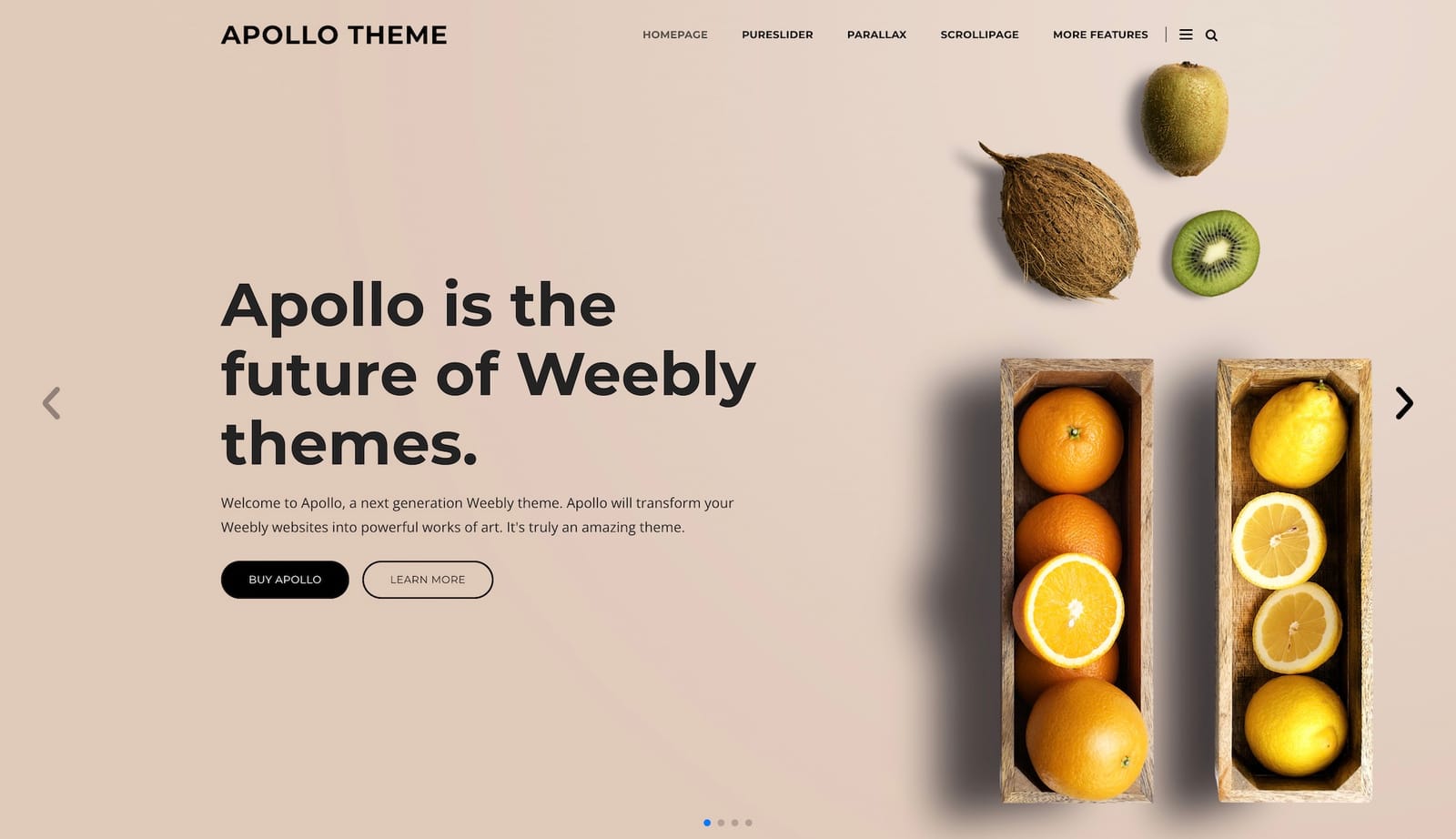
Apollo has been around for a while, and it’s still a solid pick. It has the same core toolkit as Oxygen (PureSlider header sliders, TrueParallax, and ScrolliPage) but with a bolder, more playful design style.
Two things make it different:
- Two navigation styles, each with its own design and features.
- A Developer’s Edition for web designers who build Weebly sites for clients, with unlimited access to branding controls.
It also comes with a free video-based course on using the theme, which is handy if you’re a beginner.
Building sites for clients? Look at the bundle
If you design Weebly websites for other people, check out Luminous for Designers. It’s a one-time payment that gets you all eight themes above (the Designer editions) with an unlimited-use commercial license, plus the MegaMenu and PageBoost add-ons and priority support. When I checked, it was $199, which works out far cheaper than buying even three themes separately.
How I picked these themes
I’ve been reviewing Weebly themes on this site for years, and this list merges all my old yearly roundups into one page that I keep up to date. Here’s what I look for:
- I’ve actually used it. Every theme here has been on a real site I built, either for a client or for myself.
- Design that looks custom. Modern, polished, and not obviously “a template.”
- Prebuilt sections. Drag-and-drop blocks are the single biggest time-saver in a Weebly theme.
- Mobile and SEO. It needs to be fully responsive and built with clean, search-friendly code.
- Customizable without code. You should be able to change colors and fonts right in the Weebly editor.
- Full Weebly compatibility. It has to work with eCommerce, blogs, and memberships.
- Support and updates. Websites break sometimes, so the company behind the theme matters. Luminous Themes has always gotten back to me quickly, often the same day, and its themes come with step-by-step docs and video tutorials.
- Still sold and maintained. Older versions of this list included themes from WebFire Themes, Baamboo Studio, and a ThemeForest template. I’ve dropped them: WebFire’s website wasn’t loading when I checked, Baamboo’s theme pages haven’t been updated since 2021, and the ThemeForest template hasn’t been updated since 2016.
You’ll notice every pick is from Luminous Themes. They’re the provider I’ve found that is still actively building and updating themes for the Weebly editor.
How to install a premium Weebly theme
Installing a premium theme is quick. Here’s the short version:
- Make sure you’re on the original Weebly editor. Themes only work in the original drag-and-drop editor (the one with a Themes tab). The Square Online editor doesn’t support themes at all. If that’s you, here’s how to switch to the original Weebly editor.
- Buy and download your theme. It comes with step-by-step documentation and video tutorials.
- Install it over your site. Head to the Themes tab and import the theme. It’s basically one click, and your existing content stays put. My guide on how to change themes in Weebly walks through the Themes tab.
- Make it yours. Swap in your brand colors and fonts with the in-editor controls, then start dragging prebuilt sections onto your pages.
My final take
Picking the best Weebly themes wasn’t easy, but here’s how I’d decide: go with Cascade if you want the safest all-round choice, Mocha for dark elegance, Pristine for luxury, Equinox if you blog, Builder for a service business, Pacific for wellness, and Oxygen or Apollo if you want a proven classic.
Any of them will make a massive difference over the default Weebly themes. Pick the vibe that matches your brand, install it, and watch your site glow up.
Got a question, or a theme you think I should look at? Request a tutorial and I’ll take a look. Happy building!
Frequently asked questions
What is the best Weebly theme?
Cascade by Luminous Themes is my pick for the best Weebly theme overall. It has a flexible multi-purpose design, 25+ prebuilt drag-and-drop blocks, header sliders, 3D parallax, carousels, and one-page scrolling, and it supports Weebly eCommerce, blogs, and memberships. It's the theme I start most of my client builds with.
Are premium Weebly themes worth it compared to the free ones?
For most sites, yes. The default Weebly themes look dated and give you very few layout options. A premium theme adds a modern design, prebuilt sections you can drag onto a page, header sliders, parallax, and in-editor color and font controls, so you can build a site that looks professionally designed without touching code.
Will installing a premium Weebly theme delete my existing content?
No. Luminous Themes states that its themes install over an existing Weebly site without overriding your content. Your pages, text, and images stay put; the theme changes the design around them.
Do premium Weebly themes work with the Square Online editor?
No. Themes only work in the original Weebly editor, which has a Themes tab. The Square Online editor doesn't support themes, and Luminous Themes says its themes only support the Weebly website editor, not Square Online.
Do these themes support Weebly eCommerce, blogs, and memberships?
Yes. Every theme on this list is listed by its maker as compatible with Weebly eCommerce, blogs, and memberships, so you can run an online store or a blog without giving up the premium design.
How much does a premium Weebly theme cost?
When I checked in November 2026, most Luminous themes were listed at $79, Cascade at $99, and the Luminous for Designers bundle (all eight themes with an unlimited-use license) at $199. Prices change, so check the product page before you buy.

Request a Course/Tutorial!
Want to know how to do something in Weebly? Request a tutorial!

Comments